Skip to content

    Horizon Engage

    Stop spending hours on course setup. Designed for SAFe SPCs and SPCTs. One-click course creation. Always-current templates. Your customizations carry forward.

    SEE PRICING AND PACKAGING
    Screen Shot 2026-02-26 at 4.45.24 PM
    Teaching & Learning

    Engage your SAFe® Learners

    Horizon Engage makes it easy for instructors to spend their time teaching and not creating and updating virtual classroom boards.  With Engage, instructors can:

    • Set up virtual classrooms in minutes
    • Automatically create breakout groups that work for your size class
    • Rely on Applied Frameworks to keep the SAFe course catalog current and aligned with updates from. Scaled Agile
    • Save course templates as their own and customize the content for even faster set up.  If you like to seed your activities with content, you can upload content from spreadsheets and save the updates for future classes.
    Screen Shot 2026-02-26 at 4.47.18 PM
    Practicing

    Engage your SAFe® Practice

    When you have trained your teams and people are ready for their roles as POs, RTEs, team members, change agents, the practice of SAFe starts in earnest.

    With Horizon Engage, you can:

    • Scale I&A events across many teams and review the results in the app or via spreadsheet download that includes key metadata for post processing
    • Run customer research events to uncover new opportunities and to understand your customers' priorities.
    • Conduct team and large-scale retrospectives to 


    Customizable Templates for Every SAFe® Course

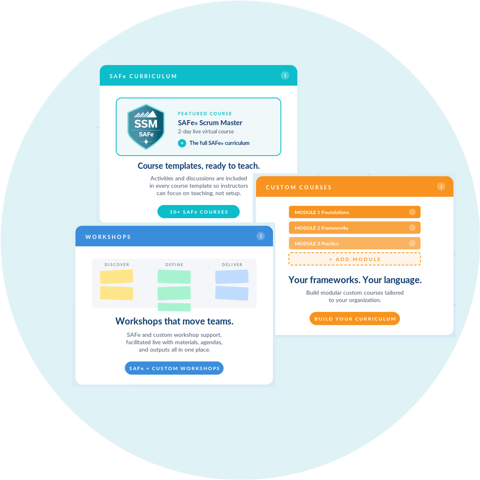
    Ready-to-run templates that you can customize for the full SAFe curriculum. Just add learners.


    Tips and Help

    Using SAFe Templates in Horizon Engage

    1. Start by selecting the course you plan to teach from the available templates. Click the Schedule Event from a Template button and add details about start and end time.   Then select Schedule Event.
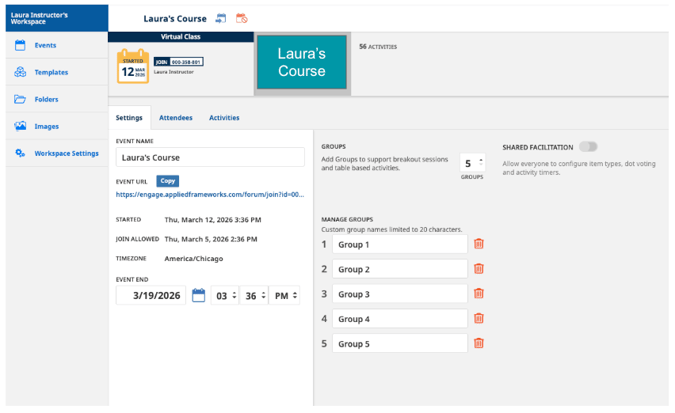
    2. From the Settings tab, you can adjust the event name, start and end times and configure the number of breakout sessions you’ll need depending on the size of your virtual class. 
    3. From the Attendees tab, you can add students by adding their email addresses.  The benefit of doing this is that you can assign them to their breakout groups before the class starts.  However, this is not required as the virtual classroom link allows for anyone with the link to join the event. 
    4. From the Activities tab, you can adjust the activities presented to your attendees including removing any that are not needed. 
    5. You can now grab the Event URL which appears under the Event Name to share with your students.  


    Frequently Asked Questions


    How much will it cost to subscribe to Engage? 

    View our pricing and packaging to find the plan that fits your training needs.

    Will you update the course templates when Scaled Agile updates their course materials?

    Yes, when Scaled Agile publishes a course update, we will update the templates in Horizon within 5 business days. Over time, we will work to reduce the time it takes to keep the content aligned with Scaled Agile.

    What improvements do you have planned?

    We held a Buy a Feature event in November with a group of SPCTs and SPCs. The results can be viewed here. We will be posting future events when available and if you would like to get involved as an advisor, please schedule a meeting with us to discuss this further. We are committed to supporting the SAFe community through the support and evolution of Horizon Engage.

    We have additional online courses that would benefit from collaborative group activities.  Can I upload these into Engage?

    Yes!  Enterprise customers can add their own training materials to the platform so that participants can practice new skills in a structured, collaborative environment.  Applied Frameworks offers additional services to support the development of virtual classroom content aligned with our customer's course materials.


    Do you have questions? We'd love to hear from you.

    Book a Conversation with Us